






A flying club website has to serve two different audiences at the same time. Prospective members need to understand what the club offers, how much participation costs, which aircraft are available and how to join. Existing members may need fast access to scheduling, club documents, training information, events and member-only tools.
The most useful flying club website features therefore combine public recruitment content with practical member access. A good site should communicate the club's community and aviation value without turning the public website into a replacement for specialist scheduling, billing or aircraft-management software.
What should a flying club website include?
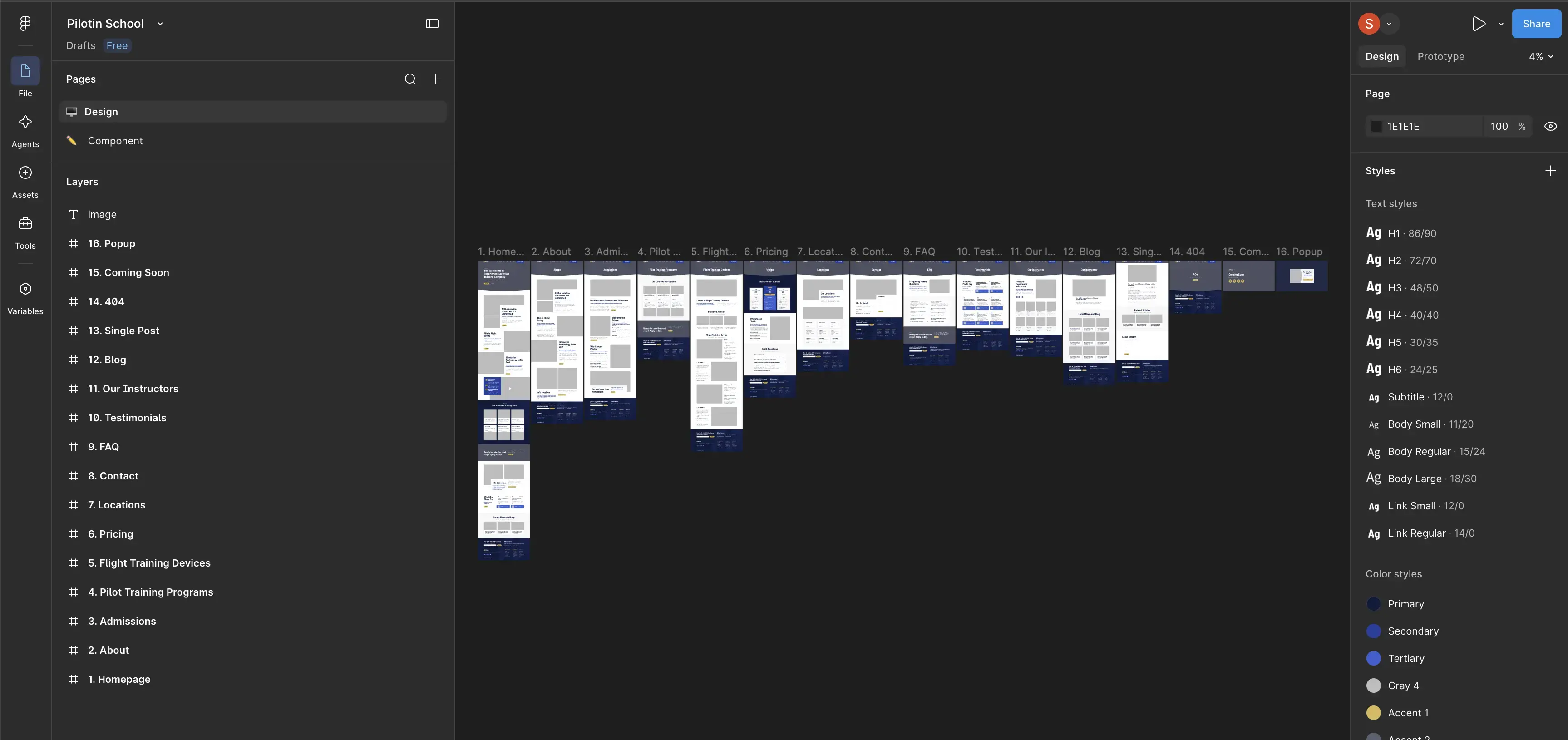
A flying club website should normally include a clear club overview, membership information, fleet pages, aircraft rates, home airport or location details, training information where applicable, events, frequently asked questions, contact details and a clear membership application or enquiry path.
If the club uses online scheduling, billing, training records or member management software, the website should also provide an obvious member login or portal link without exposing private operational information publicly.
| Website area | What it should help users understand or do |
|---|---|
| About the club | Understand the mission, community and type of flying the club supports |
| Membership | Review eligibility, costs, availability and the joining process |
| Fleet | Compare aircraft, equipment, rates and typical use |
| Training | Understand whether instruction is available and how it works within the club |
| Events | See fly-outs, meetings, safety events, social activities and other club activity |
| Location | Identify the club's home airport, facilities and operating base |
| Member access | Reach scheduling, billing, documents or other private tools quickly |
| Application or contact | Take the appropriate next step toward membership |
Membership information should answer the questions that determine whether someone can join
For most prospective members, the membership page is one of the most important pages on the site. It should provide enough information for a pilot or student to determine whether the club is relevant before contacting a committee member.
Useful membership information may include:
- who can apply;
- whether new memberships are currently available;
- joining or initiation fees;
- recurring membership dues;
- aircraft usage rates;
- insurance or experience requirements where applicable;
- checkout or familiarization requirements;
- expectations for member participation;
- how the application and approval process works.
If the club has a membership cap or waiting list, the website should explain the current process accurately rather than allowing prospects to submit an ordinary application that cannot progress.
Explain the value of membership, not only the fees
A prospective member is usually evaluating more than aircraft cost. The website can explain the broader club proposition: access to a particular fleet, availability, training opportunities, social flying, shared knowledge, events or another genuine characteristic of the organization.
This should remain specific. Statements such as “the best flying community” are less informative than explaining how the club actually operates and what members can participate in.
Create a clear application path
The next step can be an application, a membership enquiry, a waiting-list form or an invitation to attend a club meeting. The correct workflow depends on the club's process.
A specialist Aviation Club Website Design should make that process understandable without presenting club membership as a generic ecommerce transaction. Many clubs need some form of review, orientation or approval before access to aircraft and internal systems is granted.
The fleet section should help pilots evaluate aircraft access

The fleet is usually central to a flying club's value, so aircraft information deserves more than a row of photographs. Prospective members should be able to understand what they can fly, how the aircraft differ and which aircraft may fit their experience or training goals.
What should each aircraft page show?
Depending on what is relevant to the club, an aircraft page can include:
- manufacturer and model;
- real photographs;
- registration or club identifier where the club chooses to publish it;
- engine and avionics information;
- seating and useful operational details;
- hourly rate and how that rate is calculated;
- minimum experience or checkout requirements;
- whether the aircraft is used for specific training;
- links to the member scheduling system.
Technical specifications should be selected for member decision-making rather than copied from a manufacturer's brochure. A pilot deciding between club aircraft may care about avionics, typical mission, checkout requirements and rate more than a long list of specifications that do not affect club use.
Keep public fleet data and operational status separate
The public site can explain the fleet without becoming the authoritative operational source for dispatch. Live availability, maintenance status and booking information are usually better handled by the club's dedicated scheduling or management system.
If the website displays data from that system, it should be clear which information is public and which requires authentication.
Training content should reflect the club's actual role
Some flying clubs support primary instruction, advanced ratings, checkouts or recurrent training, while others exist primarily for already qualified pilots. The website should describe the model the club actually uses rather than presenting itself as a flight school when training is only one part of membership.
Relevant training information can include:
- whether student pilots can join;
- which forms of instruction are available;
- which aircraft are approved or commonly used for training;
- how members find or work with instructors;
- club checkout requirements;
- recurrent or proficiency expectations;
- safety seminars, ground sessions or member education.
If training is a major commercial service operated separately from the club, it may require a different website architecture. A club membership page and a dedicated flight school website serve different primary intents even when the same organization is connected to both activities.
Do not blur club rules with formal aviation requirements
Club operating rules, insurer requirements and regulatory requirements are not necessarily the same thing. The website should label them accurately. If a pilot needs a certain level of experience before using a particular aircraft, explain whether that is a club policy, checkout requirement or another applicable condition.
Events and community content are part of the membership proposition
A flying club is not only an aircraft access model. For many members, meetings, social activity, safety education and group flying are an important part of participation. The public website should make that activity visible when it genuinely represents the club.
Useful event content may include:
- club meetings;
- fly-outs or group trips;
- safety evenings;
- ground training;
- maintenance days;
- social gatherings;
- open-house or prospective-member events.
A simple events calendar can be enough. Clubs with active programs may benefit from individual event pages with date, location, description, RSVP information and post-event photographs.
Keep event information current
An events page full of dates from several years ago can make an active club appear inactive. Past events can still be valuable as a record of community activity, but upcoming and historical events should be presented differently.
If the club already manages events in another system, integration or an automated feed can reduce the need to enter the same information twice.
Separate the public website from the member portal
One of the most important architecture decisions is deciding what belongs on the public site and what belongs behind member authentication.
| Public website | Member-only area or external club system |
|---|---|
| Club overview and history | Aircraft scheduling |
| Membership information | Member account and billing |
| Public fleet information | Operational aircraft status |
| Public rates | Member-specific balances or transactions |
| Upcoming public events | Private member events or internal calendars |
| Training overview | Student records or training progress |
| Location and contact | Internal documents and member records |
| Membership application | Private communications or administration |
The public website should not duplicate complex functionality already handled reliably by specialist club software. It should make that software easy for members to reach and maintain a coherent experience around it.
For example, a persistent “Member Login” link can take authenticated users directly to scheduling or the portal while the public navigation remains focused on recruitment and club information.
Integration is usually better than rebuilding specialist tools
Aircraft scheduling, billing, member records, maintenance tracking and training progress can involve complex workflows. Rebuilding all of them inside a marketing CMS may increase maintenance and security responsibilities without improving the user experience.
During aviation web development, decide which functions genuinely need to live in the website and which should be connected through links, single sign-on, APIs or embedded components where the external system supports them.
Location and contact pages should make the club easy to find
A flying club is usually tied to a real airport or operating base, making location information more important than it is for many purely digital businesses.
A useful location section can show:
- the home airport;
- airport identifier where relevant;
- where the aircraft are based;
- clubhouse or meeting location;
- driving or access instructions when useful;
- public contact methods;
- where prospective members should meet the club.
If the organization operates from more than one genuine base, separate location pages can clarify which fleet, events or training opportunities belong to each location.
The website should also make responsibility for enquiries clear. A generic email address is acceptable if it is actively monitored; publishing several outdated committee addresses is not.
The CMS should make club information easy to keep current
Many club websites become outdated not because information is unavailable, but because updating the site requires too much effort. The CMS should therefore match the way volunteers or administrators actually maintain the organization.
Content that benefits from structured management can include:
- aircraft;
- rates;
- events;
- instructors;
- club officers or committee members;
- locations;
- membership status or availability;
- frequently asked questions.
For example, an aircraft record can hold the aircraft name, image, rate, equipment summary and checkout information once, then display that data consistently wherever the aircraft appears.
Permissions can also matter. A volunteer responsible for events may need to update the calendar without having access to site-wide configuration, while another administrator may maintain fleet or membership information.
Responsive design should prioritize frequent member and prospect tasks
A club website may be accessed from an office computer during membership research or from a phone at the airport. Responsive design therefore needs to support both deliberate research and quick operational navigation.
On mobile, check that users can easily:
- review membership costs;
- compare fleet aircraft;
- find the home airport;
- contact the club;
- apply or join a waiting list;
- reach the member portal;
- find upcoming events;
- read aircraft and training requirements.
Member login should not disappear inside several layers of mobile navigation. Existing members may visit the public domain primarily because it is the easiest remembered route to scheduling.
SEO should support membership discovery without creating duplicate pages
A flying club website can be relevant for searches around the club name, home airport, membership, aircraft and local aviation community. The SEO structure should reflect real club information rather than generating large numbers of nearly identical geographic pages.
The main commercial intent around professional flying club website design belongs on the relevant service page. The club's own site, by contrast, should prioritize its real membership proposition and location.
Supporting content may be useful where the club has genuine expertise or community information to share, but a small organization does not need a large blog simply to appear active in search.
Aviation keyword research can help determine whether specific searches belong on the membership page, fleet pages, location content or a separate resource rather than creating several pages for small keyword variations.
Measure membership actions, not only website traffic
For a flying club, the most useful website measurements are often straightforward. Analytics should help the club understand whether prospective members can move from research to contact and whether existing members can reach essential tools.
Useful events may include:
- membership application submissions;
- waiting-list submissions;
- membership enquiry forms;
- clicks to the member portal;
- calls or email actions;
- event registrations;
- visits from membership or fleet pages to the application process.
If prospects repeatedly view rates and fleet information but do not continue to an application or contact page, the problem may be missing information, unclear membership availability or an unnecessarily difficult application process.
Common flying club website mistakes
- Hiding membership costs. Prospective members cannot determine whether the club is realistic for them.
- Showing aircraft without rates or context. The fleet looks attractive but does not help pilots compare membership value.
- Using outdated event calendars. The website makes an active community appear dormant.
- Mixing public and private information. Internal club content becomes difficult to manage safely.
- Building another scheduling system unnecessarily. The club duplicates functionality already handled by specialist software.
- Presenting the club as a flight school when it is primarily a membership organization. The site's purpose becomes unclear.
- Leaving old officers or instructors online. Contact and trust information becomes unreliable.
- Hiding member login on mobile. Existing members cannot reach the tool they use most frequently.
- Publishing artificial location pages. SEO content is created for places where the club has no real base or meaningful presence.
- Depending on one volunteer for every website update. Routine fleet, event and membership changes become delayed.
Frequently asked questions
Practical questions about planning a website for a flying club, aero club or aviation membership organization.
01 Should a flying club publish its membership fees online? +
02 Does a flying club website need online aircraft scheduling? +
03 Should every club aircraft have its own page? +
04 What should be public and what should be member-only? +
05 How is a flying club website different from a flight school website? +
Final thoughts
A useful flying club website should make joining the organization understandable while giving existing members a fast route to the systems they use regularly. Membership terms, aircraft, rates, training, events and location information should be specific, current and easy to maintain.
The strongest architecture also recognizes what the public website should not become. Scheduling, billing, training records and other operational workflows can remain in specialist member systems while the website focuses on recruitment, communication and the club's public identity. That separation creates a clearer experience for both prospective and existing members.
Need help with your aviation website?
Turn your website into a clearer, faster and more visible digital system built around your aviation business goals.